Selected work · 2026

Software, hardware
and motion.

Two apps, one six-axis robot control system, two ESP32-S3 builds and three product films.

妆见

Upload one selfie, set a budget and an occasion,
and get a makeup plan shaped around your face.

妆见tradecheck.cloud
妆见•••
MAKEUP ANALYSIS妆

See what is distinctive.
Then design around it.

One selfie becomes a makeup plan tuned to your features, budget and occasion.

Get started

From analysis to application.

01

Face analysisShape, proportions and visual balance

02

Zone-by-zone stepsWhat to use and where to start

03

Budget-aware kitFill only the gaps in what you own

04

Clear handoffPreview, shopping list and PDF

  • 5 inputsSelfie, budget, occasion, preferences and current kit
  • 5 outputsA complete, usable report
  • AndroidApp and web experience
  • 1.0.0Core flow complete

How it works

  1. Upload a selfie

    One photo provides the basis for facial analysis.

  2. Set preferences

    Add your budget, occasion and products already on hand.

  3. Generate the plan

    The report adapts to your features, budget and context.

  4. Follow the steps

    Apply by facial zone, compare with the preview and save the full plan as a PDF.

What the report includes

Face analysis
Shape, proportions and visual balance, before any product is recommended.
Zone-by-zone steps
A clear sequence for each facial area, including what to use and how.
Shopping list
Works with what you own and adds only what is missing, within budget.
Makeup preview
A visual reference for the finished direction before you begin.
PDF
The analysis, steps and shopping list in one file for easy reference.

Platforms

Built primarily for Android. The web edition offers the full flow and a sample report.
LEXORA

Meet a word in context, then hear it, break it down and compare it.
Its memory state decides when it returns.

LEXORAbbfps.cloud

TODAY · LEXORA BETA

Memory starts with context.

39new words0due47minutes
FIRST LOOK · CONTEXT

A learning community can make progress feel visible.

community/kəˈmjuːnəti/ · n.
ContextPronunciationMeaningRootsNuanceMemory stateReview
  • 6 setsExam-focused vocabulary
  • 5 stepsTo learn one word
  • Due datesDriven by memory state
  • WebRuns in the browser

Word sets

LEXORA BetaCET-4CET-6Postgraduate ExamIELTSTOEFL

From Chinese college English exams to international tests.

Learn a word

  1. Infer from context

    Read the sentence first and make an informed guess.

  2. Hear it

    Match the sound to its phonetic form.

  3. Check the meaning

    Confirm or correct the initial interpretation.

  4. Break down the roots

    Find reusable patterns that transfer to other words.

  5. Compare nuance

    Place near-synonyms together and separate their usage.

Review

Memory state
Every learned word keeps its own progress state.
Due review
Words return to the daily queue when they need attention.
Daily pace
Set a daily volume. New words, due reviews and memory state shape the session.

Memory field

Learned words appear as points of light. The more you retain, the brighter the field becomes.

Episode Arm

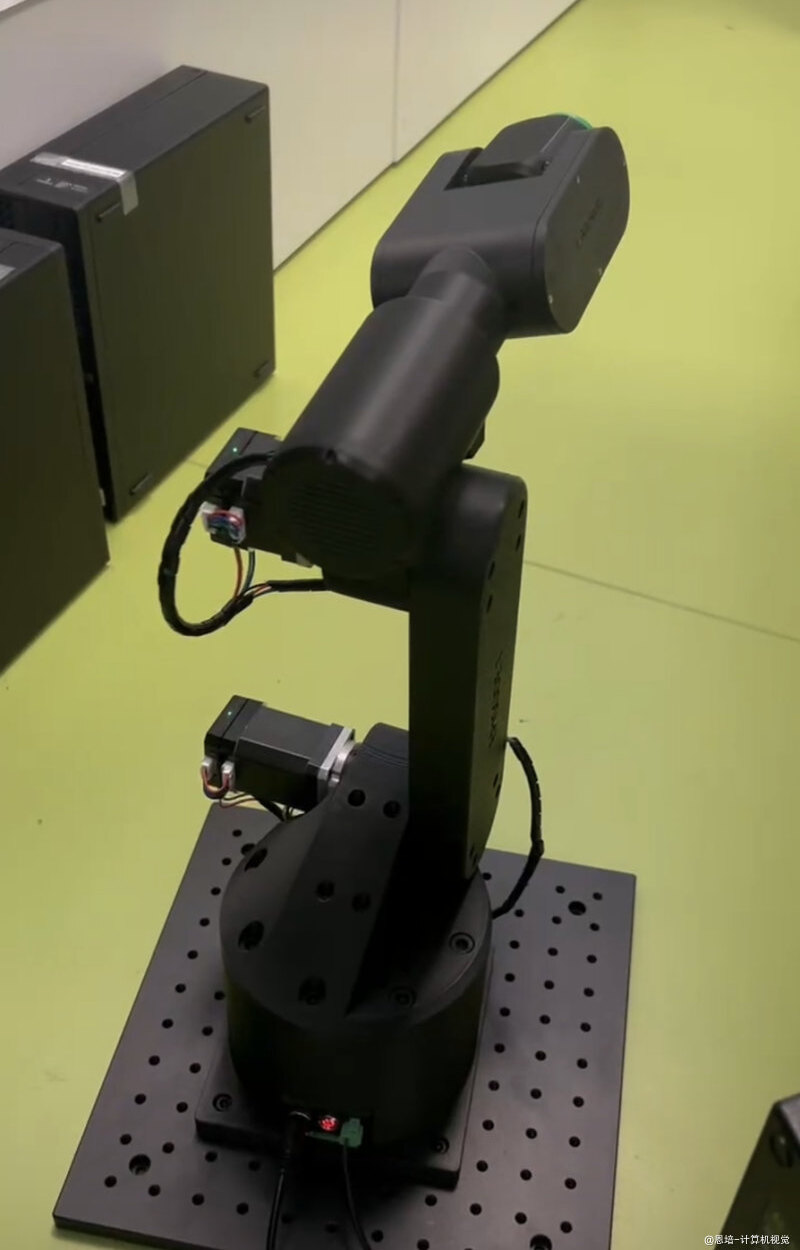
A ground-up view of the Episode 1 six-axis platform—from application and control core to the CAN bus and joint drives—shaped into a system that can be diagnosed, extended and verified.

Focus: protocol design, ROS 2 / MoveIt integration, trajectory execution, command arbitration, safety state machines and test coverage.

Six-axis robot arm hardwareView image
  • 6-DOFStepper motors + closed-loop drives
  • CANPCAN / USB2CAN bus
  • ROS 2Jazzy · Ubuntu 24.04
  • MoveIt 2Joint trajectories and state feedback

Hardware path

PC→PEAK PCAN / USB2CAN→CAN bus→6 joint drives

Encoder feedback at every joint with automatic homing. The end effector accepts a vacuum cup or two-finger servo gripper. Rated payload: 500 g. Working radius: 510 mm.

Control path AWindows SDK

Python / C++→TCP + JSON→Host app→PCAN / CAN

An eight-byte big-endian length header followed by UTF-8 JSON covers joint motion, end-effector pose, linear moves, gripper control, free-drive mode and state reads. The client adds timeouts, length validation, reconnection and malformed-input tests.

Control path BDirect ROS 2 access

MoveIt 2→ROS 2 Node→Controller Core→PCAN / CAN

Ubuntu 24.04 and ROS 2 Jazzy let the controller core access hardware directly. The public surface includes trajectory, joint, pose and linear-motion actions, control services and joint-state topics, with real joint feedback replacing time-estimated progress.

Model

URDF / SDFCollision geometryDH parametersJoint limits

Issues identified

TCP client
Incomplete timeout handling and unbounded message length. Both are now enforced so malformed input cannot stall the connection.
CAN ownership
Callbacks once shared the same bus concurrently. Serial arbitration now allows one command at a time.
Action feedback
Some progress was estimated from time. The target is measured joint feedback.
Cancellation semantics
A cancellation request does not prove the arm has stopped. “Cancelled” and “stopped” are confirmed separately.
State cache
Cached state carries a timestamp and validity flag, so stale data is never treated as current.

Roadmap

  1. P0 · Safety baseline

    Coordinate mapping and original feature parity.

  2. P1 · Communication hardening

    Robust TCP behavior, mocks and malformed-input tests.

  3. P2 · State machine

    Explicit states, command arbitration and real joint feedback.

  4. P3 · System verification

    ros2_control and MoveIt integration with fault injection.

Progress

Phase one · Static analysis

SDK, ROS 2 packages, URDF / SDF, control interfaces and key risks complete.

Phase two · Hardware validation

Measure state period and P99 jitter, CAN read failures, command latency, trajectory error, emergency-stop response and long-run stability on real hardware.

Open-source repository

Episode Arm Control includes a hardened TCP / JSON SDK, safety controller, trajectory execution, ROS 2 interfaces, a ros2_control hardware plugin, MoveIt configuration and automated tests. It is verified in mock environments and ROS 2 Jazzy; full hardware bring-up is next.

Stack

PythonC++TCP / JSONROS 2 JazzyMoveIt 2PCANCANURDFLinux

What this demonstrates

Working from protocols, interfaces and an unfamiliar codebase to map a robot control chain, design clean abstractions, integrate ROS 2 / MoveIt, arbitrate shared resources, build safety state machines and verify behavior with fault injection and measurable criteria.

550W (MOSS)

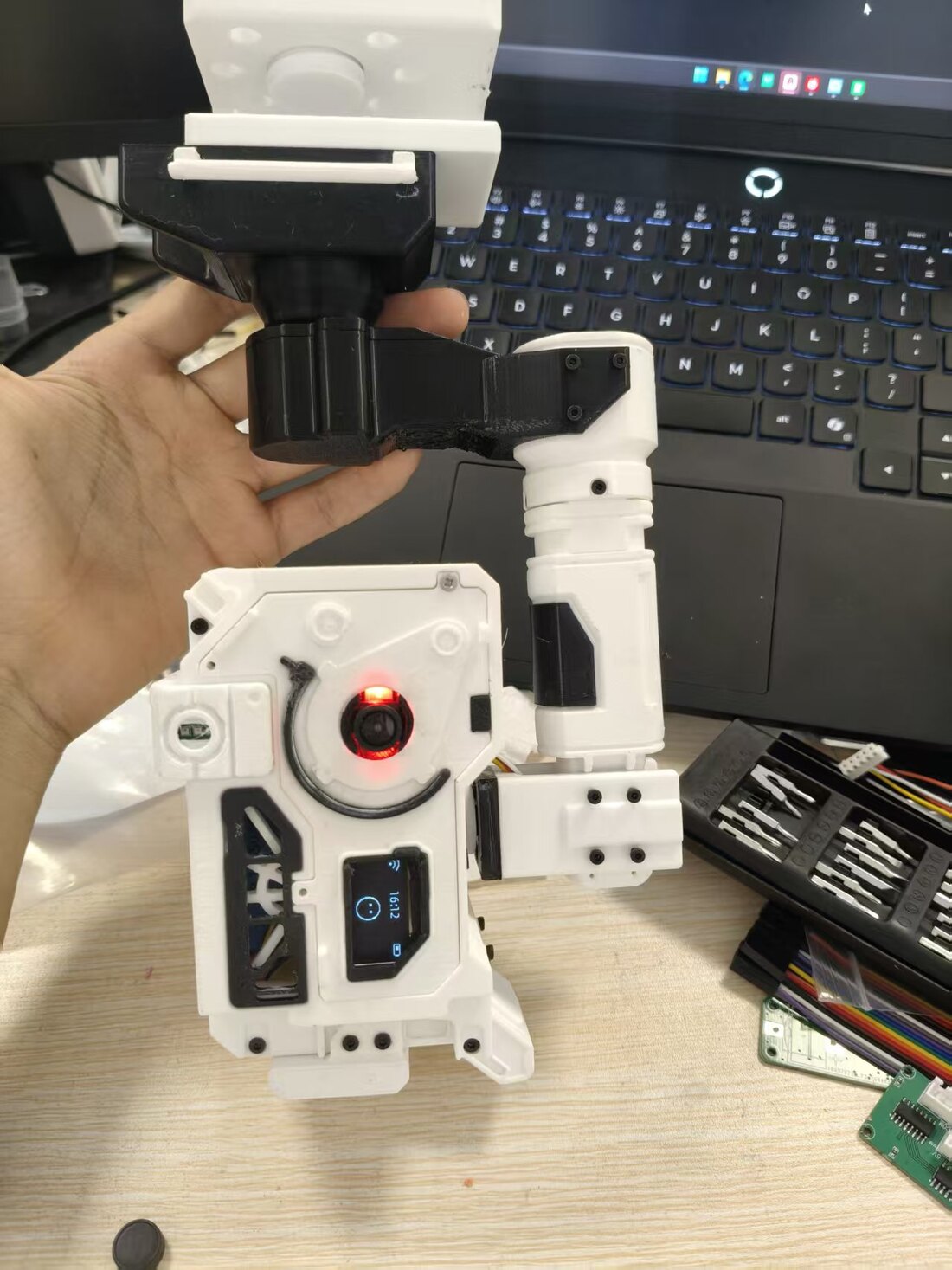
A hand-built ESP32-S3 AI hub, assembled and brought up from components and PCB to a working enclosure.

550W MOSS ESP32-S3 AI hub buildView image
  • ESP32-S3Main controller
  • 5 featuresIntegrated in one device
  • 5 stagesFrom PCB to bring-up
  • Xiaozhi AIEcosystem hub

Features

Voice interaction
A conversational control surface.
AI object recognition
Identifies objects placed in front of the camera.
Local video streaming
Streams the camera feed across the local network.
Desktop control
Connects actions to a computer.
Smart-home integration
Acts as a hub for connected devices.

Build process

  1. Components and PCB

    Source the parts and populate the board.

  2. Soldering

    Complete and inspect every joint.

  3. Firmware

    Flash and configure the ESP32-S3.

  4. Mechanical assembly

    Fit the PCB and peripherals into the enclosure.

  5. System bring-up

    Trace power, solder joints, board connections, peripheral response and firmware state until the full feature chain works.

ESP-SparkBot

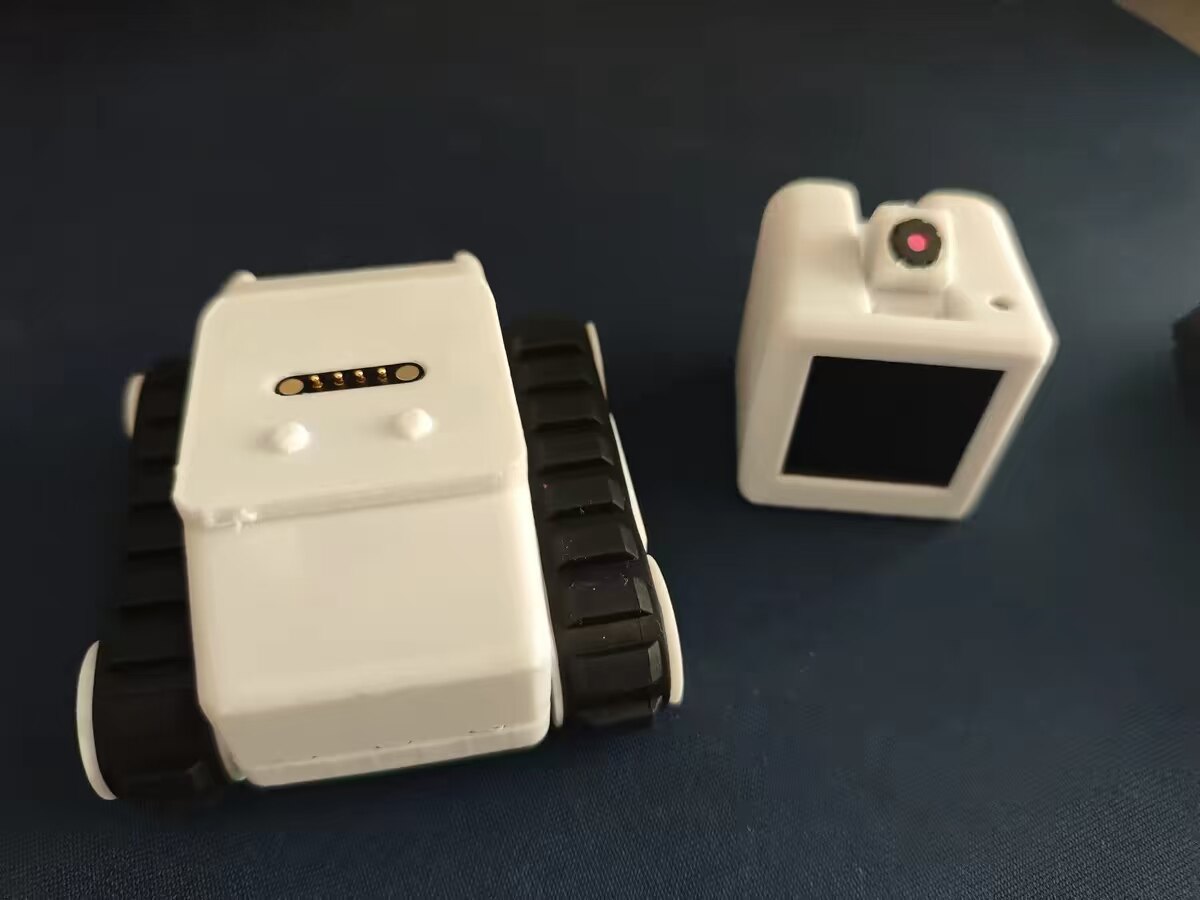
A compact ESP32-S3 desktop robot built from interconnected PCBs, with FPCs, camera and sensors packed into a small body.

ESP-SparkBot desktop robot buildView image
  • ESP32-S3Main controller
  • 6 featuresOne compact device
  • Multi-PCBInterlocking structure
  • DesktopRobot

Features

VoiceVisionCamera streamingMediaTouchModules

Build process

  1. Hardware assembly

    Connect and secure each PCB in sequence.

  2. Peripheral integration

    Attach camera, touch and audio modules to the main board.

  3. Firmware deployment

    Flash the firmware and complete configuration.

  4. Feature validation

    Test every capability independently.

Assembly notes

Stable power
Multiple peripherals need a reliable shared supply.
Multi-PCB alignment
Board-to-board connectors must be aligned and fully seated.
FPCs and sensors
Small cables and sensors need careful routing and strain relief.

Product Films

Three short films for startup products.
Each explains the product, interface and value in 18–23.5 seconds.

01

ByteAsk

Product film · 20 sec

02

ContextDev

Product film · 23.5 sec

03

DevFast

Product film · 18 sec

  • 3 filmsFinal masters
  • 1920×1080Native resolution
  • 30fpsFrame rate
  • 18–23.5 secRuntime per film

Production

Message design
Choose the core product ideas and sequence them for a short runtime.
Interface direction
Stage UI shots, type hierarchy and hold times so the story remains readable.
Motion rhythm
Use transitions, animation and shot flow to give each product its own emphasis.
Delivery
Master every film at 1920×1080 and 30 fps.

Tools

OpusAfter Effects

All three films were delivered at 1920×1080 and 30 fps.